A Small Delight: NordVPN’s ‘Open Gmail’ Link
• tech
I reset my NordVPN password today and bumped into one of those tiny UX touches that makes you smile. After submitting the reset form, the confirmation screen offered a simple link: “Open Gmail.”
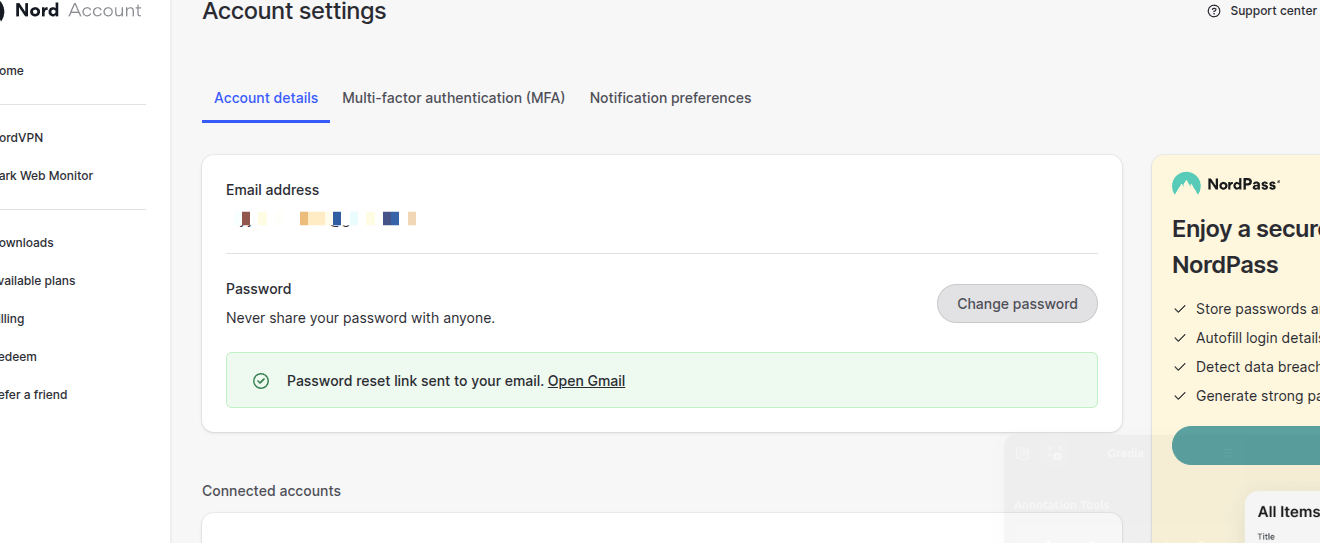
Clicking it didn’t just open my inbox—it opened Gmail already filtered to the exact message I was expecting, across every mailbox, and scoped to the last hour.
The link
https://mail.google.com/mail/u/0/#search/from%3Asupport%40nordaccount.com+in%3Aanywhere+newer_than%3A1hIn plain words: search for emails from support@nordaccount.com, look in:anywhere (Inbox, Promotions, Spam, All Mail), and only those newer_than:1h so I don’t get an old reset mixed in.
Why this works
- Removes the scavenger hunt: No tab switching, no typing
from:support@nordaccount.com, no “did it go to Promotions?” anxiety. - Time-bounded: The
newer_than:1hguard filters out stale resets. - Covers edge cases:
in:anywheremeans even if Gmail misfiled it, I’ll still see it. - Zero guessing: The system names the sender domain explicitly; I don’t have to remember which sub-brand sent the email.
The tiny lesson
Little links like this compress user effort at exactly the right moment—when attention is already fragmented between app and inbox. It’s respectful and fast. No fancy animations, no intrusive popups, just a thoughtful default.
Final thought
Password resets are high-friction by nature. This one felt calm. Kudos to NordVPN for turning a common chore into a smooth, almost invisible step.